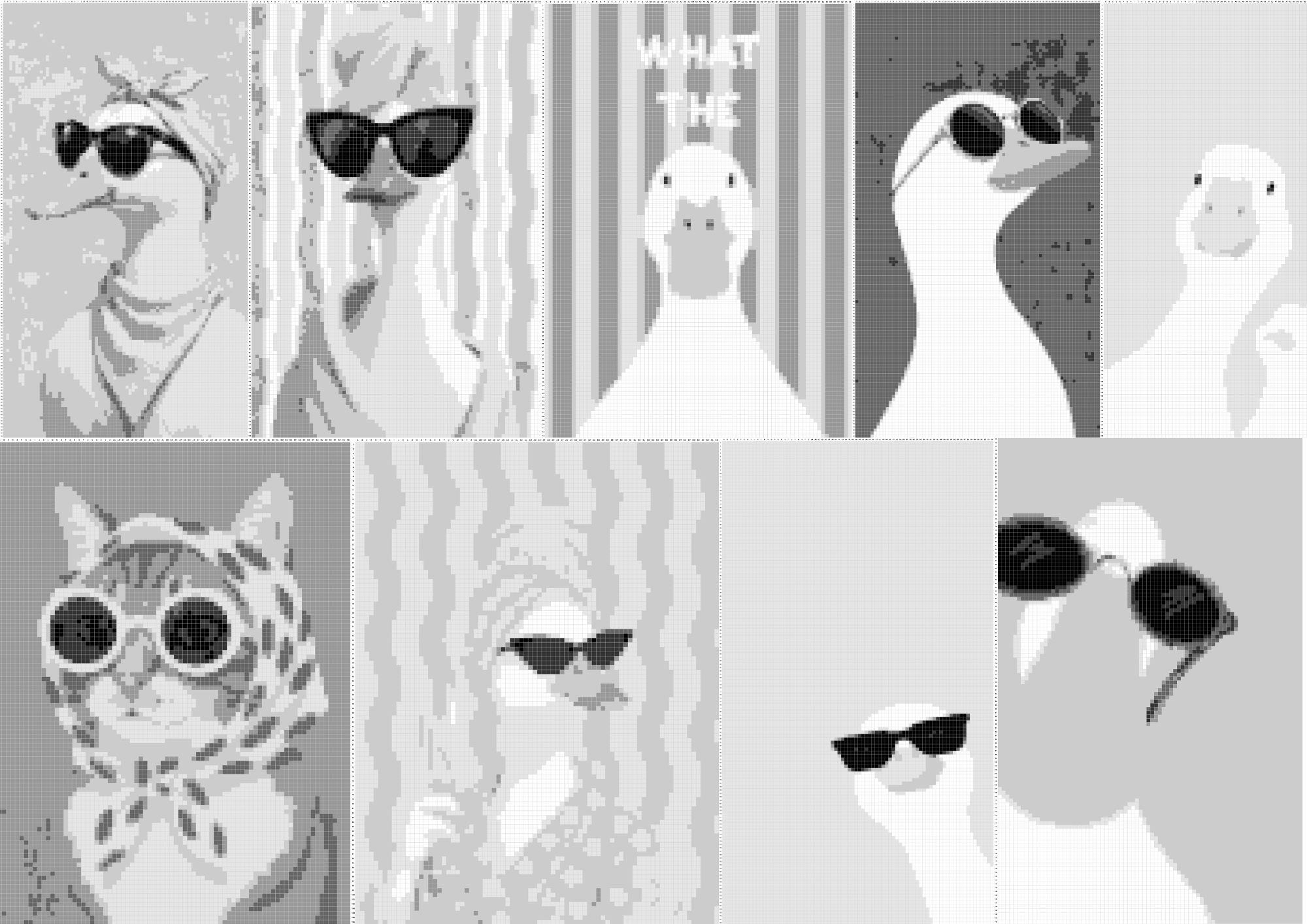
The Global Edition Image-To-Art Workflow Price: Unfair Advantage

The Art Engine

Vol. 1 — No. 1 A Complete Publishing Revolution Est. 2026

TURN ORDINARY IMAGES
INTO DISTINCTIVE INTERIORS

WITHOUT DESIGNING FROM SCRATCH

Create Stunning Monogram, ASCII & Pattern-Based Art.

T

ransform your images into customizable visual designs, fine-tune every detail, and build print-ready book interiors without complicated design software or hours of manual editing.


This dedicated workspace gives publishers a streamlined way to turn source images into monogram, ASCII, pixel and pattern-based artwork — then customize the style and export finished pages for their publishing projects.

  • Fast Image-To-Art Transformation
  • Customizable Visual Styles
  • Print-Ready PDF Export
  • Beginner-Friendly Workflow
Visual Evidence — Press Play
Fig 1. Full workflow demonstration video.
No complicated design software. No drawing from scratch. No steep learning curve. Just create, customize, and export.
Special Offer

Claim Your Commercial License Today

Get Instant Access
30-Day Money Back Guarantee

The Feature Collection

1
CREATE A STYLE THAT STANDS OUT Move beyond generic stock-style interiors. Turn your own source images into customizable designs.
2
TURN IMAGES INTO ART Upload a graphic and let the transformation engine handle the process without rebuilding from scratch.
3
NO DRAWING SKILLS REQUIRED You don't need to be an illustrator. Use your images as the starting point for visual collections.
4
LESS MANUAL FORMATTING Export clean PDF files using your selected page settings and skip repeatedly resizing every page by hand.
5
CONTROL HOW YOUR ART LOOKS Adjust density, pixel shapes, characters, contrast, spacing, and grid resolution to fine-tune your design.
6
BUILD INTERIORS FASTER Repeat the same streamlined creation process across multiple images to build complete visual projects.
7
CUSTOMIZE CHARACTERS & GRIDS Control the spacing and grid structure to create clean minimalist or detailed pattern-based designs.
8
CREATE YOUR OWN ASSETS More control over your source. More control over your style. Differentiate your book interiors.
9
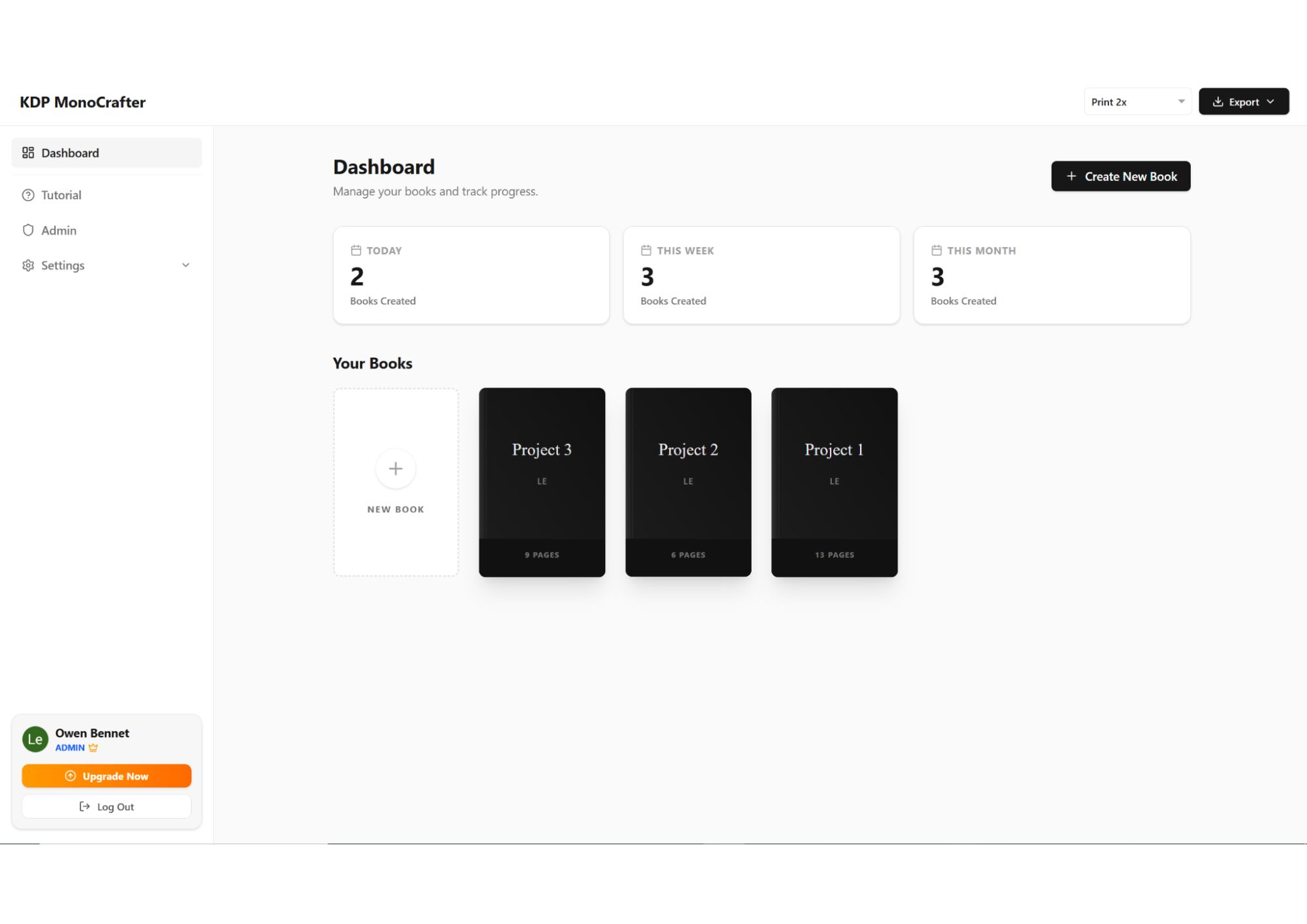
KEEP PROJECTS ORGANIZED Manage your source images, generated artwork and configurations inside one dedicated workspace.
10
CREATE FOR COMMERCIAL USE Commercial-use rights included. Create your artwork, build your book, and publish under your own brand.
11
MULTIPLE ART STYLES IN ONE TOOL Transform the same source image into different visual styles including monogram, ASCII, pixel and pattern-based artwork — giving you more creative options.
12
SAVE & REUSE YOUR SETTINGS Keep your custom configurations organized and reuse your preferred settings across future designs — so you don't have to rebuild the same setup every time.
The Manual Grind

Still Creating Typographic Art Books The Hard Way?

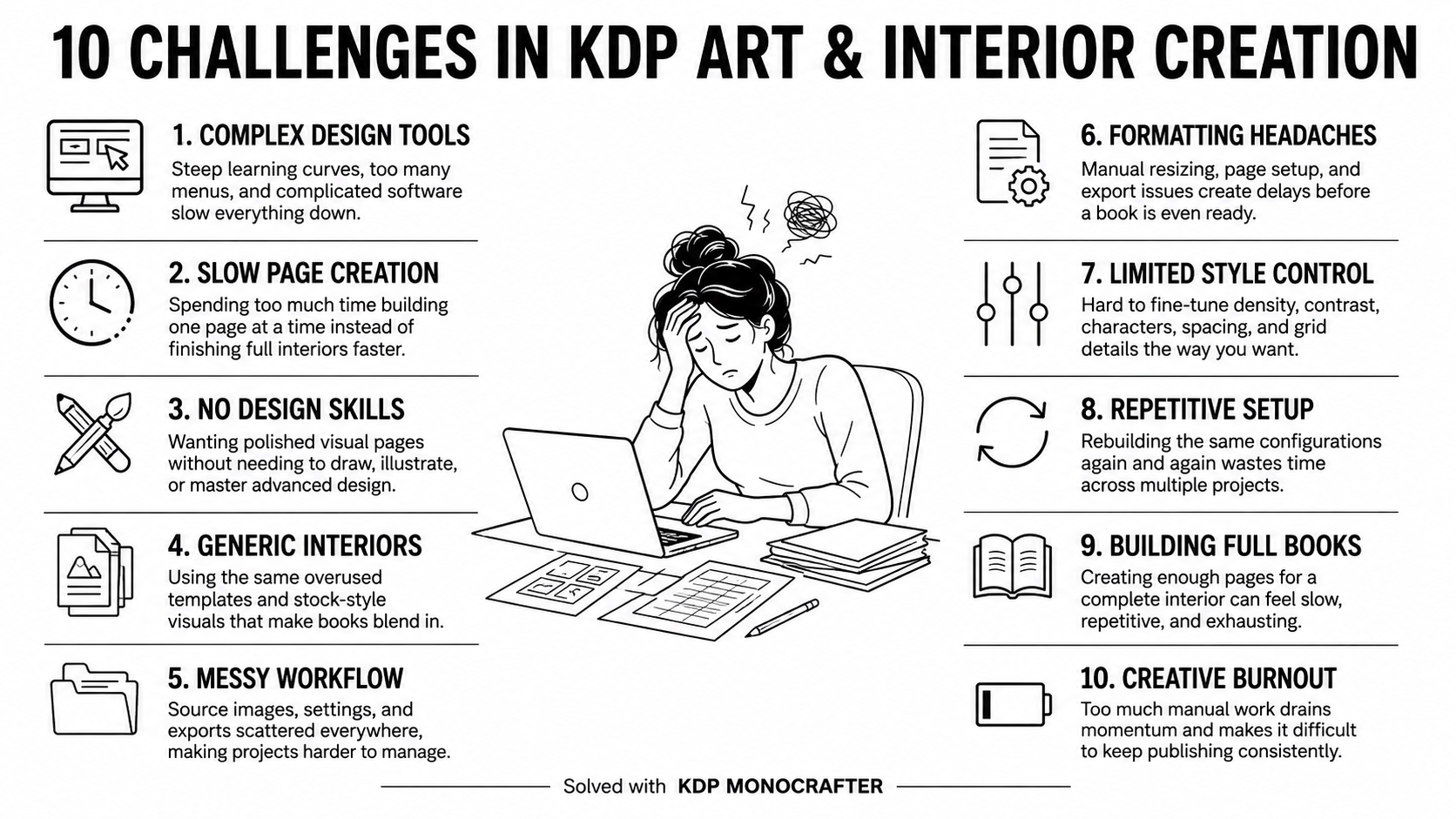
Creating monogram, ASCII, pixel and pattern-based artwork sounds simple... Until you realize how much manual work, technical setup, tweaking, and formatting is involved.

For many KDP publishers, the biggest problem isn't the idea.

It's the workflow
01

The Software Maze

Most traditional design tools come with complicated settings, advanced techniques, plugins, or time-consuming workflows just to transform a simple image into stylized artwork.

By the time everything is set up...

You've already spent more time learning than creating.
The Software Maze
Fig 1. The barrier of overcomplicated interfaces.
02

The Tedious Manual Work

Creating character, grid, or pattern-based artwork manually means adjusting elements, spacing, density, shapes, and positioning over and over again.

What starts as a creative project quickly becomes...

Hours of repetitive editing.
The Tedious Manual Work
Fig 2. The repetitive nature of manual adjustments.
03

The Muddy Result Problem

Basic image-to-text converters often struggle with important details. Shadows blend together. Highlights disappear. Contrast becomes difficult to control.

The result can require even more manual editing before it's usable for a book project.
The Muddy Result Problem
Fig 3. Unpredictable quality and lost details.
04

The Formatting Trap

Finishing the artwork is only part of the job. You still have page sizing, layout adjustments, resolution, PDF preparation, and other publishing details to handle.

More steps. More adjustments. More time.
The Formatting Trap
Fig 4. Layout configuration and sizing hurdles.
05

The Endless Tweaking

Finding the right balance of density, contrast, characters, spacing, and grid size can mean changing settings... Previewing... Adjusting... And repeating the same process again.

Instead of building your book, you're stuck fine-tuning every page manually.
The Endless Tweaking
Fig 5. The endless cycle of iterations.

A Streamlined Approach

Remove The Complexity...

And Create KDP Art Interiors With A Faster, Simpler Workflow

You don't need complicated design software or hours of manual editing to create distinctive visual interiors.

The Traditional Process Often Means:
  • Too many design tools
  • Repetitive manual editing
  • Complicated layers and settings
  • Time-consuming formatting
  • A steep learning curve
A Better Way:
  • No expensive design software
  • No Photoshop skills required
  • No complicated layer management
  • No technical setup
  • Simply upload your image, adjust the visual settings, preview your artwork, and create the style you want.

Turn Your Images Into Monogram, ASCII, Pixel & Pattern-Based Art — Without Designing From Scratch.

Bring the entire process into one streamlined creative workspace.

Built For Creative Flow

Forget jumping between complicated tools and endless layers.

Enjoy a clean visual workflow for transforming images into customizable monogram, ASCII, pixel and pattern-based artwork.

Upload. Adjust. Preview. Create.

Simpler PDF Export

Prepare your finished artwork for publishing without rebuilding every page manually.

Set your page options and export clean, high-resolution PDF files for your book projects — helping reduce the usual resizing and formatting work.

A Faster Way To Build Interiors

Use the same streamlined workflow across multiple images to create visual pages for:

  • Coloring Books
  • Activity Books
  • Typographic Art Books
  • Pattern-Based Interiors
  • Creative Art Collections
The Workflow

It's Not Just Software.

It's A Streamlined KDP Art Creation Workflow.

Creating The Artwork Is Only Half The Job.

A great visual idea still needs to become a properly prepared book interior. That means dealing with:

  • Page sizes
  • Margins
  • Resolution
  • Layout
  • Export settings
  • Consistent formatting

And for many publishers, that's where a simple creative project suddenly becomes complicated.

From Image To Finished Interior
— In One Workflow

KDP MonoCrafter was designed to simplify both sides of the process:

01 Create The Artwork
02 Prepare The Pages
03 Export The Project

Start with an ordinary image and transform it into customizable monogram, ASCII, pixel, or pattern-based artwork. Then prepare those designs for your publishing project without rebuilding everything in separate design software.

Less Technical Work.
More Creative Control.

Instead of manually handling every little detail, KDP MonoCrafter helps simplify tasks such as:

Page Size & Layout Setup

Prepare your designs around common book dimensions and page settings.

Manual Grid Creation

Skip the tedious process of placing individual characters, pixels, dots, or shapes by hand.

Resolution & Export Preparation

Create clean, high-resolution artwork and export your finished project as a PDF.

Consistent Page Formatting

Keep your designs aligned and consistent across multiple pages and projects.

Your Workflow Stays Simple

Upload Choose Your Style Customize Preview Export
You stay in control of the creative decisions. KDP MonoCrafter handles the repetitive parts of the workflow so you can focus on building the actual book.

Use it to create visual interiors for projects such as:

  • Typographic Art Books
  • Pattern-Based Books
  • Activity Books
  • Coloring Projects
  • Creative Visual Collections
Market Analysis Report

A Fast-Growing KDP Niche Hiding In Plain Sight

Monochrome Mystery & Pixel-Reveal Books Are Showing Serious Momentum On Amazon.

T

his isn't just another random book idea. Right now, monochrome color-by-number and pixel-reveal books are showing strong signs of buyer demand on Amazon. While many publishers crowd into saturated markets, this specific niche continues to build quiet, measurable momentum.

Recent Title Performance Data
#1
Best Seller Rank Achieved
290+
Verified Customer Reviews
$12.99
Sustained Selling Price
Visual Evidence Exhibits
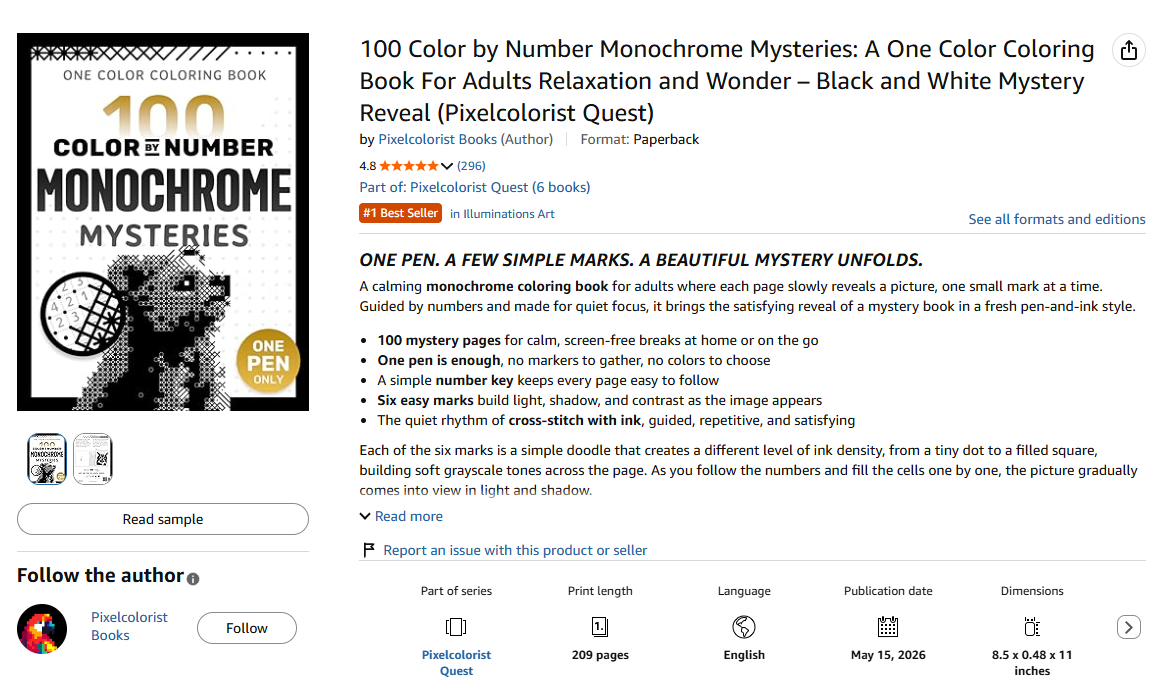
Book Listing Evidence
Exhibit A. High-performing monochrome listing format.
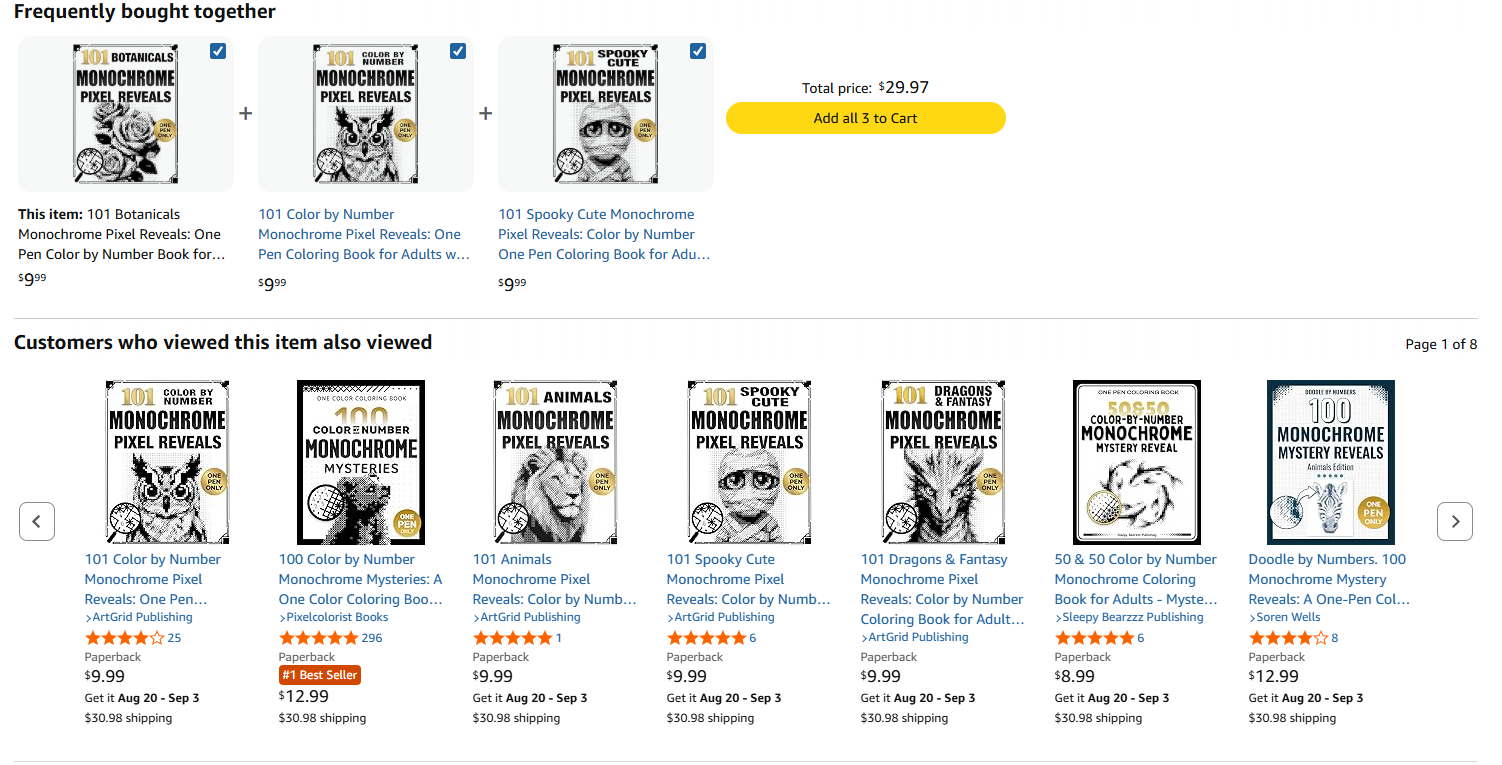
Reviews and BSR Evidence
Exhibit B. Strong review volume and top category ranking.
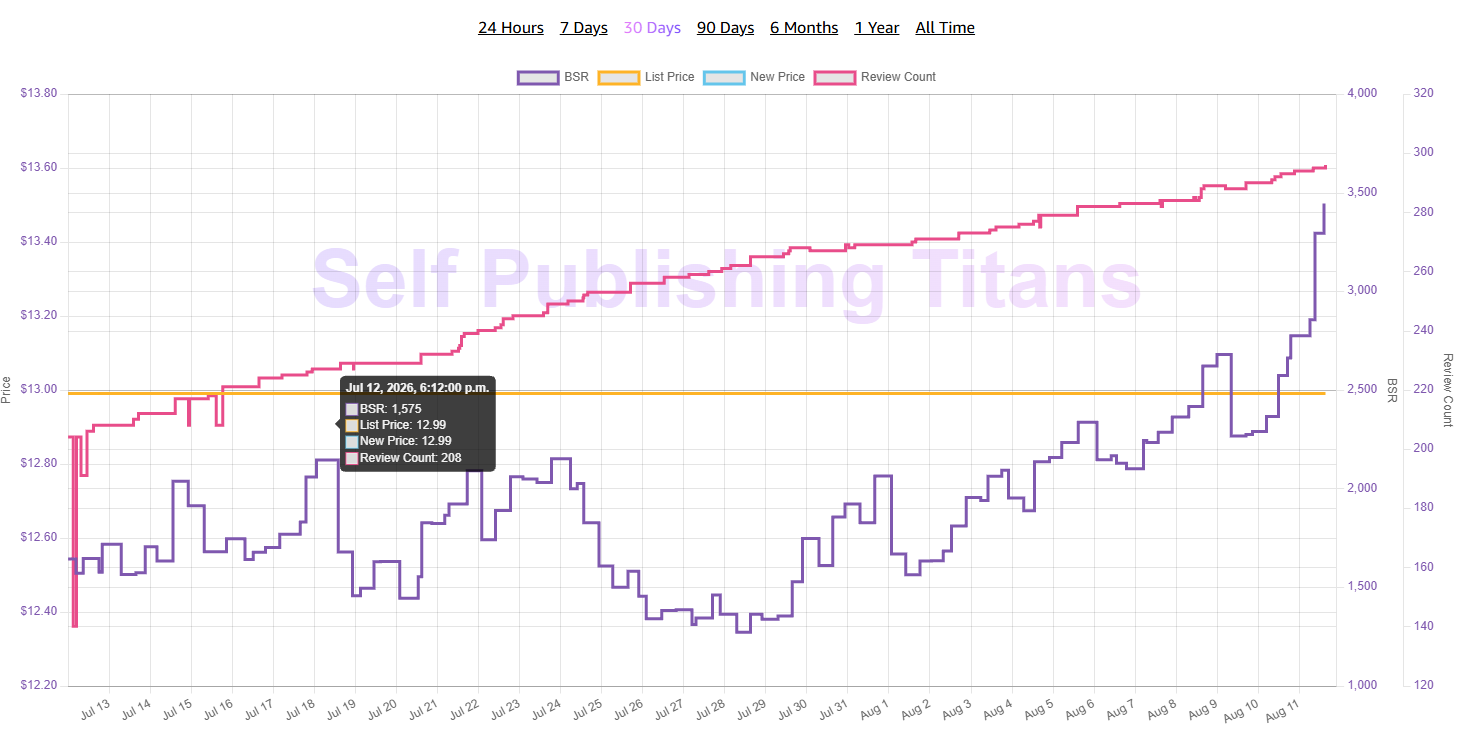
Sales Chart Evidence
Exhibit C. Sustained sales rank and upward momentum.
* Note: Market data, ranking metrics, and screenshots are sourced directly from public Amazon listings.
Concept Expansion Radar

Amazon is already showing related titles successfully expanding across:

Animals Botanicals Spooky Themes Fantasy Mystery Reveals Pixel Art

The Market Gap Analysis

The demand is clearly there, but here is what makes this especially interesting for independent publishers...

The Niche Appears Under-Served

Compared with mainstream coloring books, journals, planners, and traditional activity books, the number of publishers creating this specific monochrome pixel-reveal style still appears relatively limited.

That creates an interesting window of opportunity for publishers who can execute a strategic entry into the market.

Better Themes
Distinctive Artwork
More Variations
Faster Production

This Is Exactly Where A Better Workflow Fits In.

Instead of manually building hundreds of tiny cells, dots, characters, or monochrome patterns... A purpose-built workspace helps you transform ordinary images into customizable monochrome, pixel, ASCII, monogram and pattern-based artwork through a much simpler workflow.

Find The Theme Create The Artwork Build The Interior Publish
The opportunity isn't about copying what's already selling. It's about spotting a proven visual trend early... and creating your own version faster.

WHAT IF CREATING KDP ART BOOKS DIDN'T HAVE TO FEEL THIS COMPLICATED?

Manual Design Is Slowing You Down.

Trying to build complete art and pattern books by hand means constantly dealing with: Layers. Grids. DPI. Margins. Resizing. Reformatting.

And the more pages you create, the more repetitive the workflow becomes. While your idea may be simple... The production process often isn't.

The Generic Design Problem

Using the same stock graphics, templates, and basic design assets as everyone else makes it harder for your books to feel distinctive. If the artwork looks generic... The book looks generic too.

The Formatting Headache

Page dimensions, margins, grid sizes, image resolution, and PDF preparation can quickly turn a creative project into hours of technical work. You shouldn't need to spend more time fixing files than creating the actual book.

The Messy Workflow

Jumping between different tools, manually arranging artwork, and rebuilding layouts page after page creates an inconsistent and frustrating workflow. More tools. More adjustments. More chances to lose time.

THERE'S A SIMPLER WAY TO CREATE.
OFFICIALLY INTRODUCING

KDP MONOCRAFTER

The Beginner-Friendly Art Creation Engine For Building Monogram, ASCII, Pixel & Pattern-Based KDP Interiors.

Turn ordinary images into customizable artwork, fine-tune the visual style, build your pages, and export your project — without Photoshop or complicated design workflows.

UPLOAD → CUSTOMIZE → PREVIEW → EXPORT
COMMERCIAL LICENSE INCLUDED • NO MONTHLY FEES
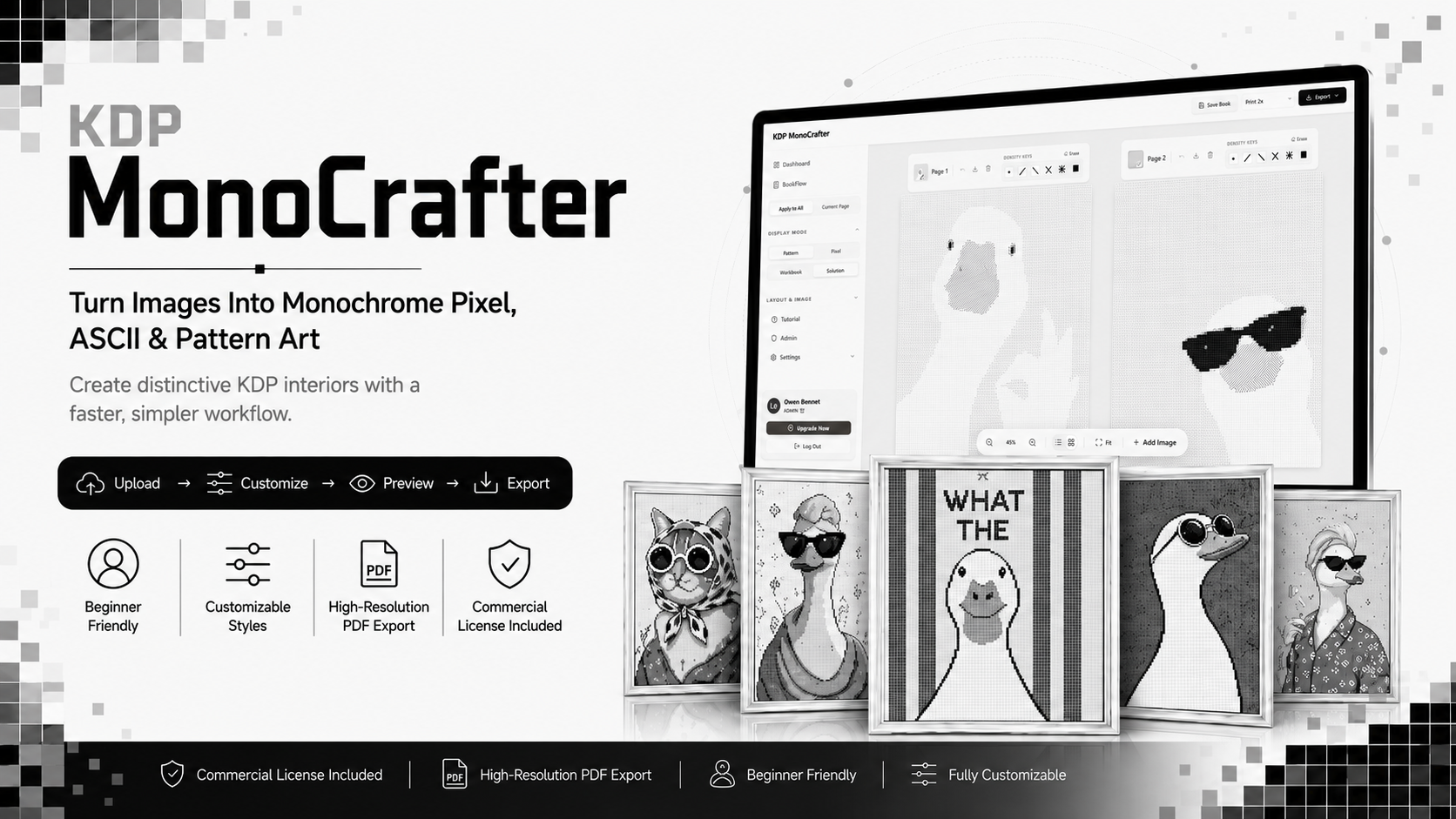
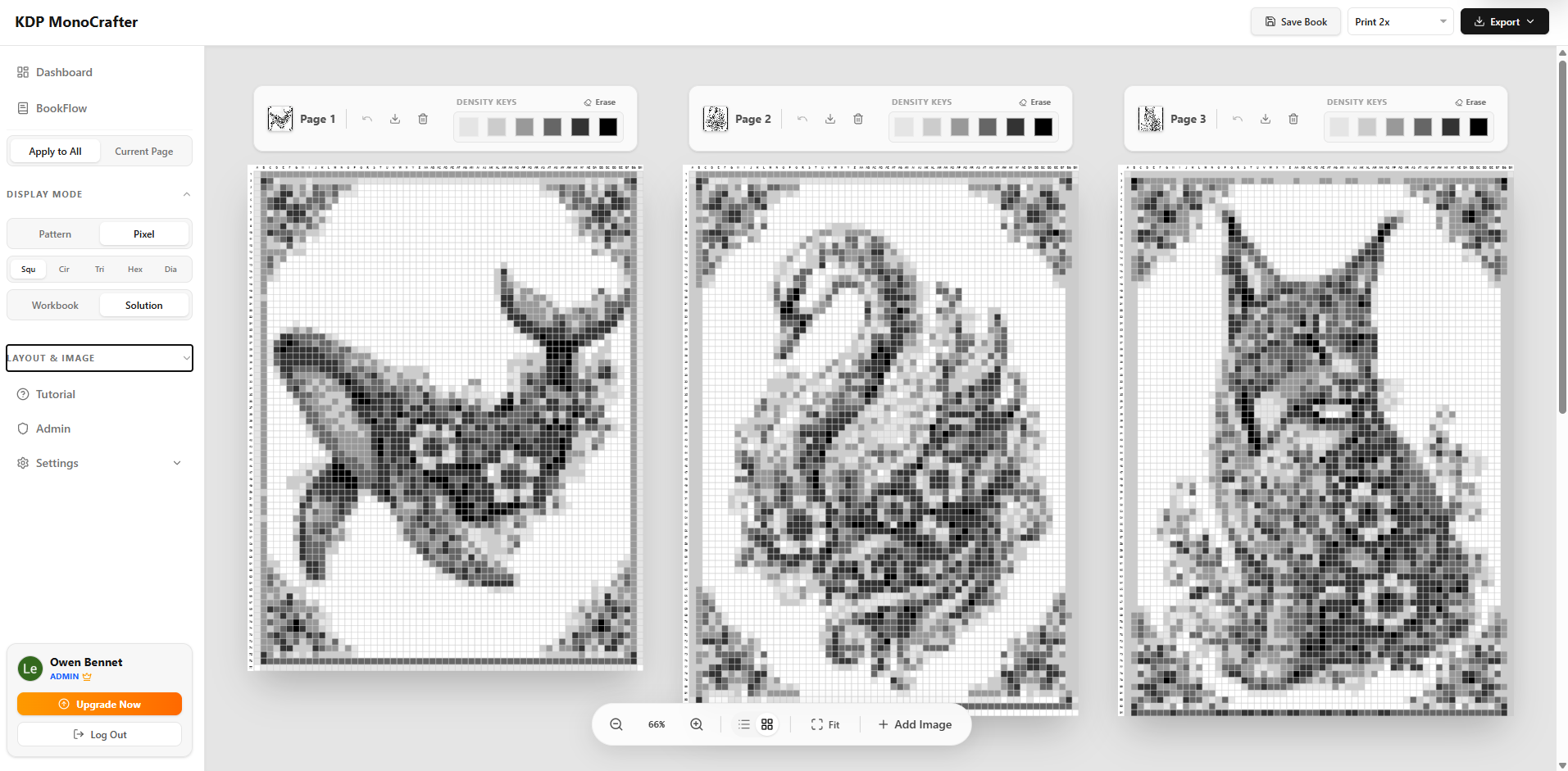
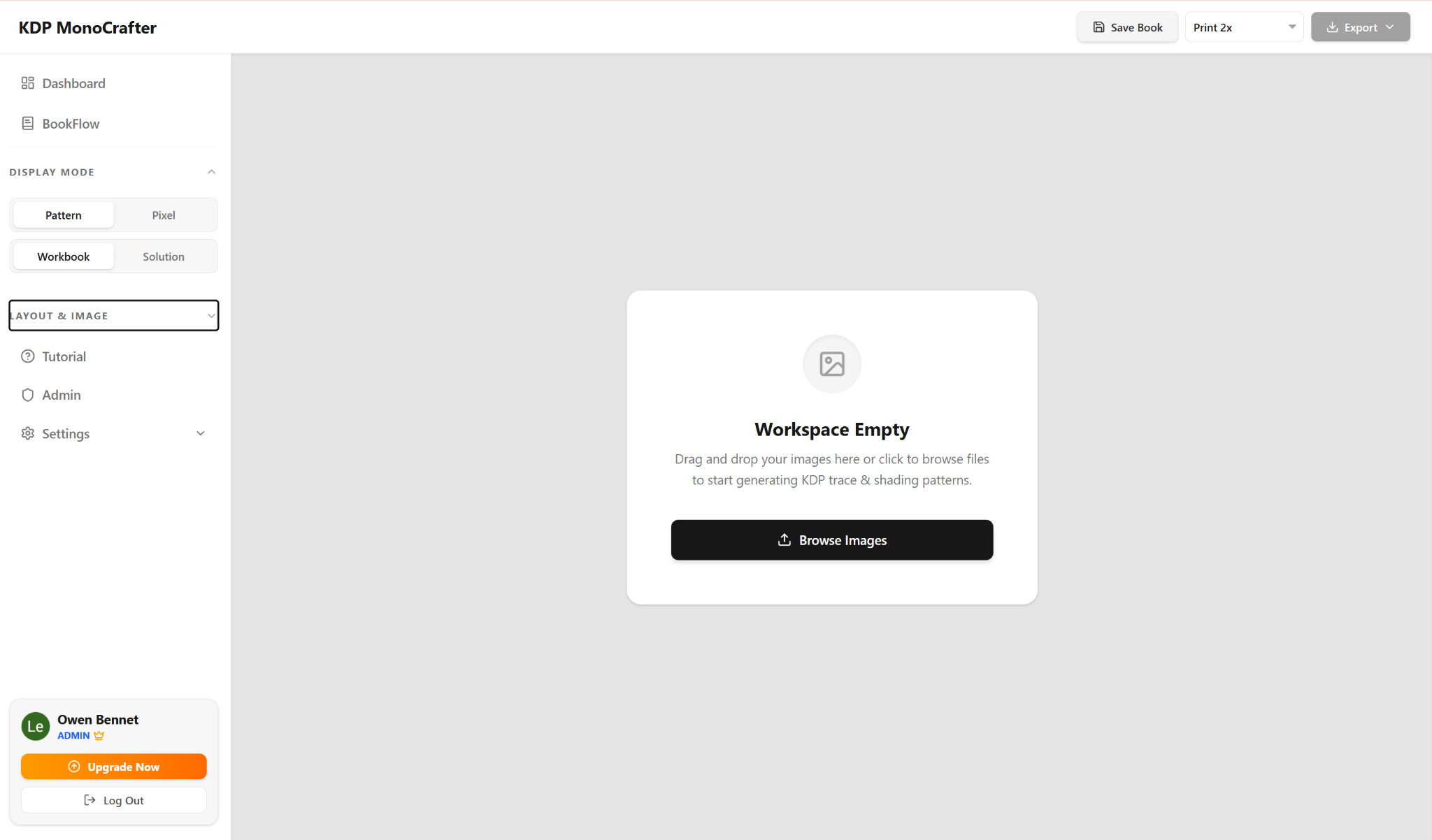
KDP MonoCrafter Workflow Interface
Fig 1. The unified workspace for image-to-art conversion.
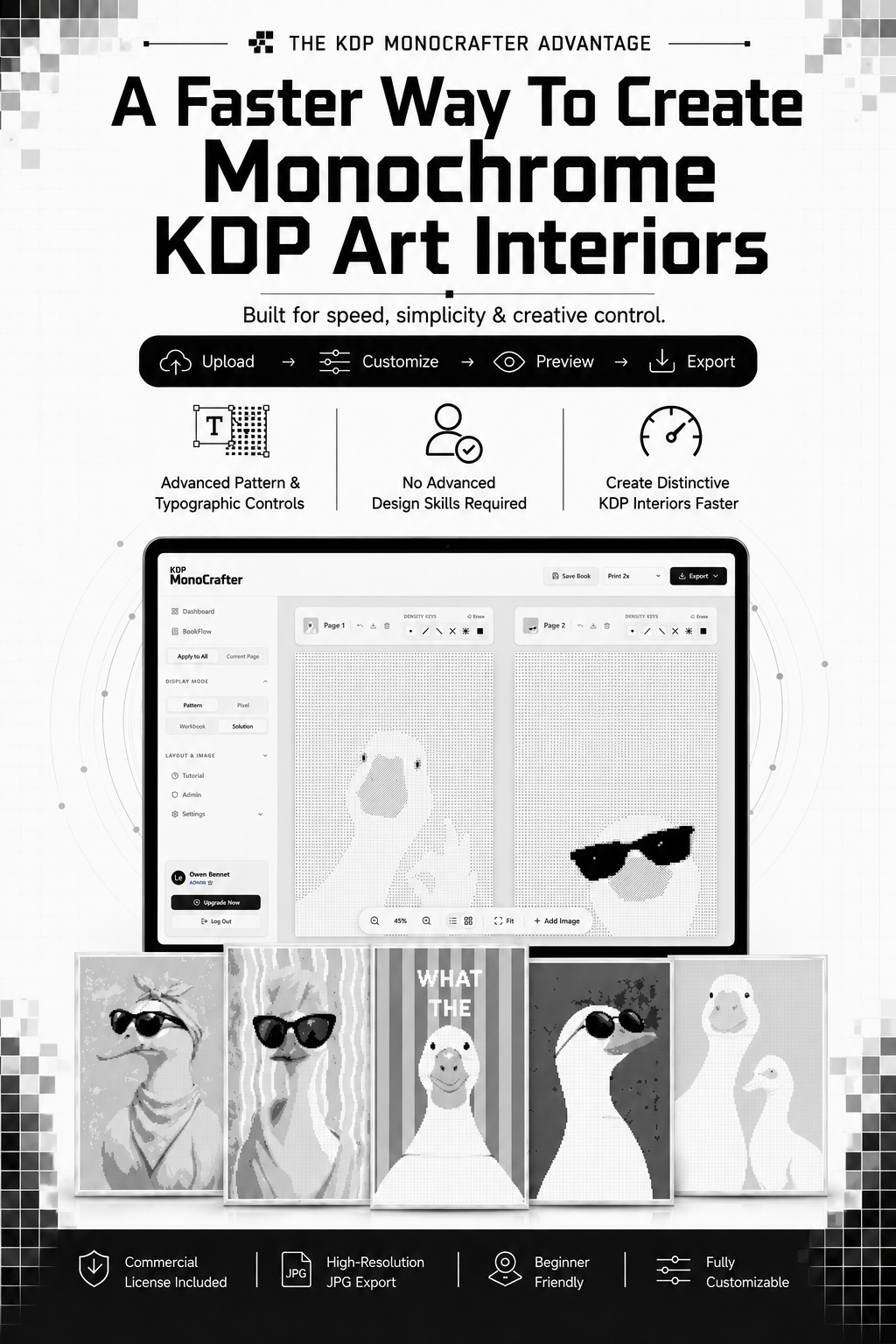
The MonoCrafter Advantage

A Faster Way To Create Monochrome KDP Art Interiors

Built For Speed, Simplicity & Creative Control

KDP MonoCrafter is more than a basic image converter.

It gives you a streamlined workflow for turning ordinary images into customizable monogram, ASCII, pixel, and pattern-based artwork for your publishing projects.

Upload your image, adjust the visual settings, preview the result, and export your finished pages — without complicated design software or hours of manual editing.

Advanced Pattern & Typographic Controls Fine-tune characters, density, spacing, contrast, grids, and visual styles to create the look you want.
No Advanced Design Skills Required Skip complicated layers, manual pixel placement, and repetitive formatting work.
Create Distinctive KDP Interiors Faster Build visual pages for typographic books, activity books, pattern-based projects, and monochrome art collections using one simple workflow.
UPLOAD → CUSTOMIZE → PREVIEW → EXPORT
Expanded View
The Architecture

The Technology Inside MonoCrafter

Turn Images Into KDP Art — Faster. MonoCrafter simplifies the entire creation process.

  • No design skills needed
  • No Photoshop
  • No API keys
  • No complicated setup

Image-To-Art Engine

Turn ordinary images into customizable pixel, pattern, and typographic-style artwork in seconds.

Private Workspace

Keep your source images, pages, and specific project settings neatly organized in one dedicated place.

Simple Export

Preview your pages and seamlessly export your finished project without messy manual formatting work.

Built For KDP Creators
Upload Customize Preview Export
Less Manual Work. More Creative Control.
The Core Workflow

5 Powerful Tools To Build KDP Art Books Faster

MonoCrafter brings your image-to-art workflow into one simple workspace — helping you create, customize, organize, and export monochrome activity and art book pages with less manual work.

01 | MODULE #01

Fast Image-To-Art Creation

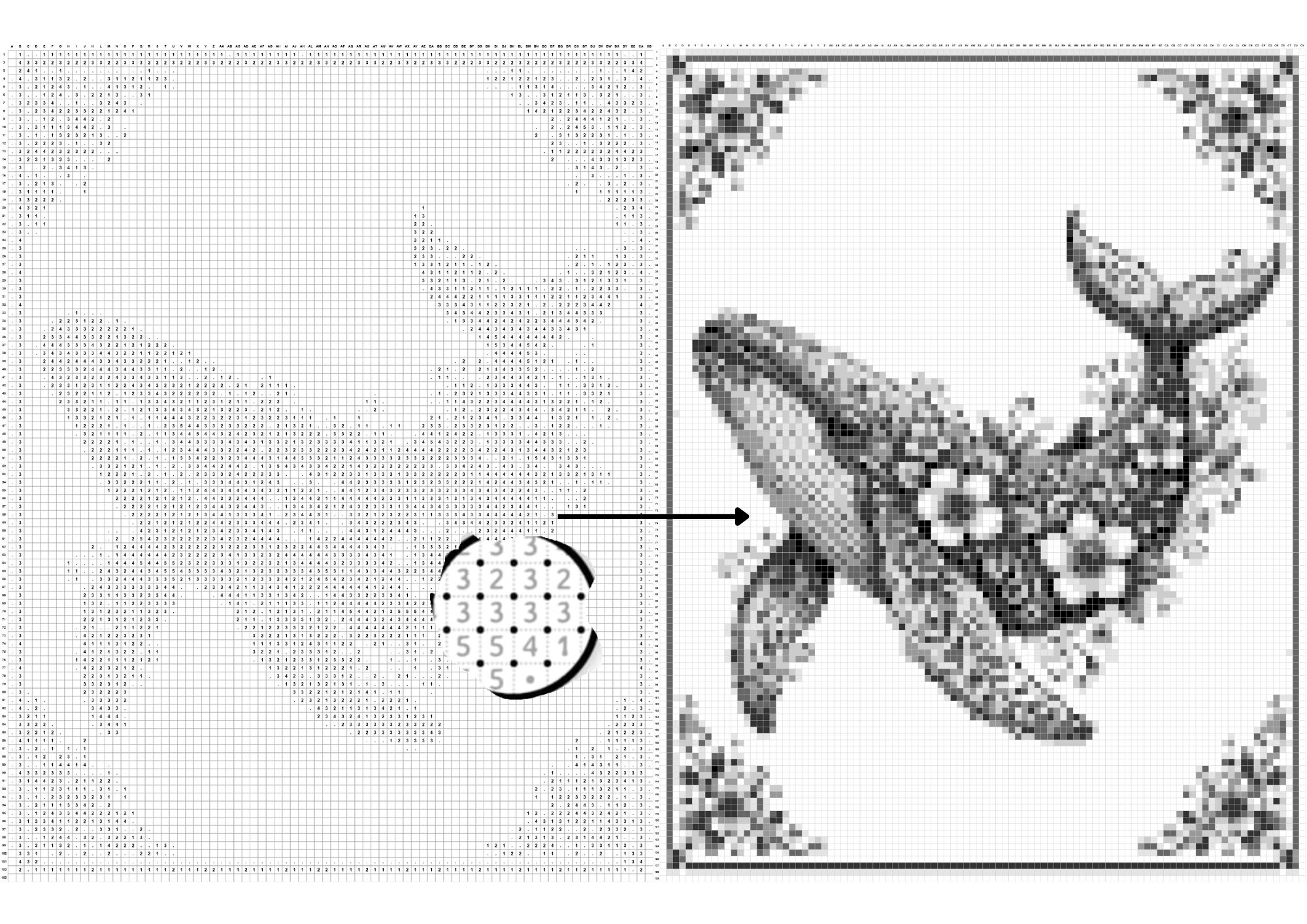
Upload your source images and transform them into structured Pattern or Pixel-based artwork without building every element manually.

  • Fast Image Conversion
  • Adjustable Density Controls
  • Pattern & Pixel Display Modes
Fast Image-To-Art Creation
02 | MODULE #02

The Grid & Shape Architect

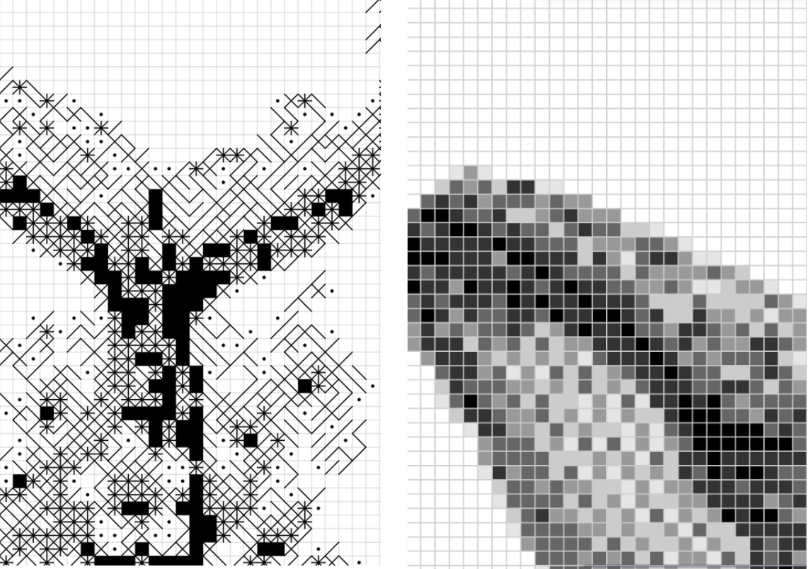
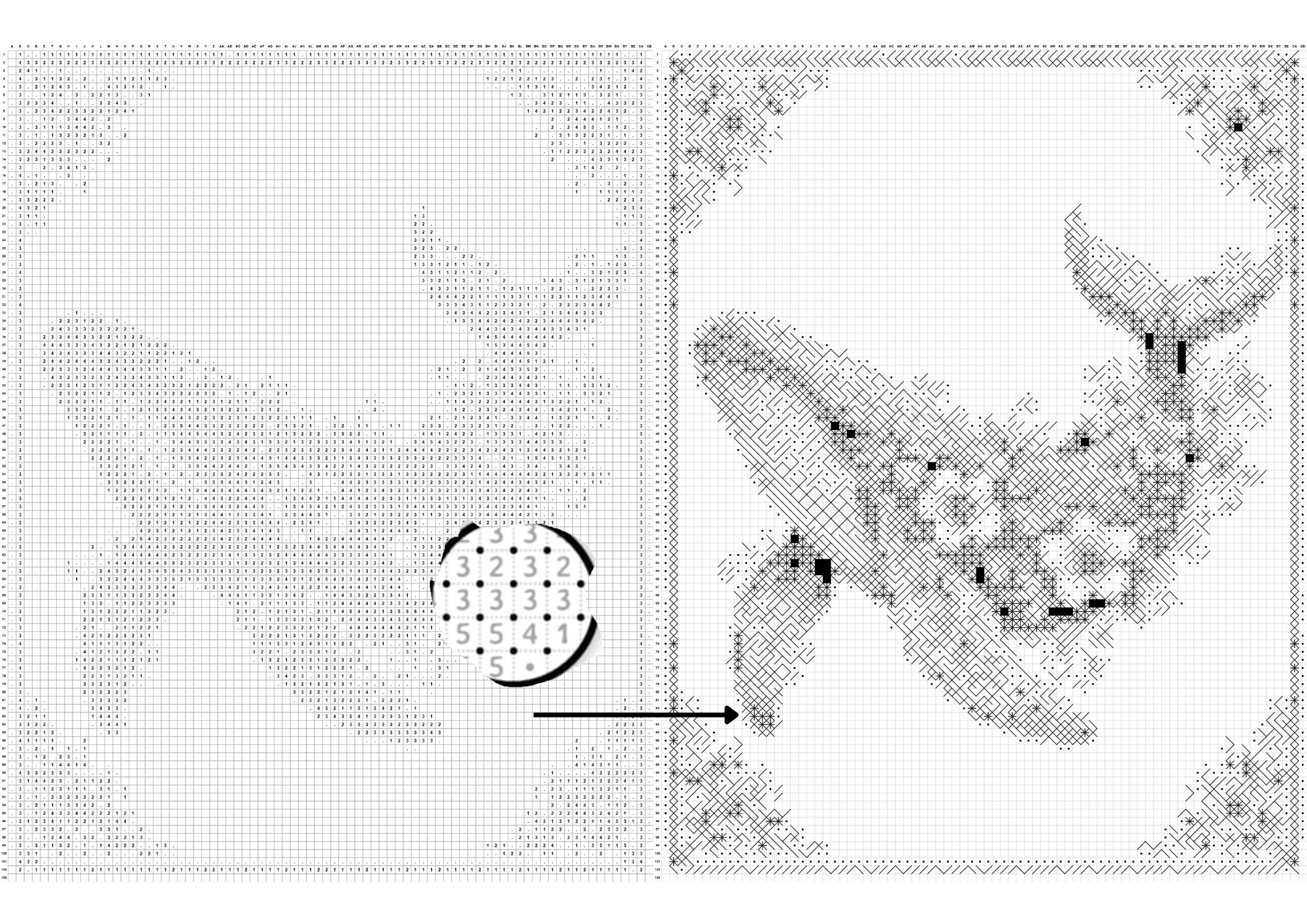
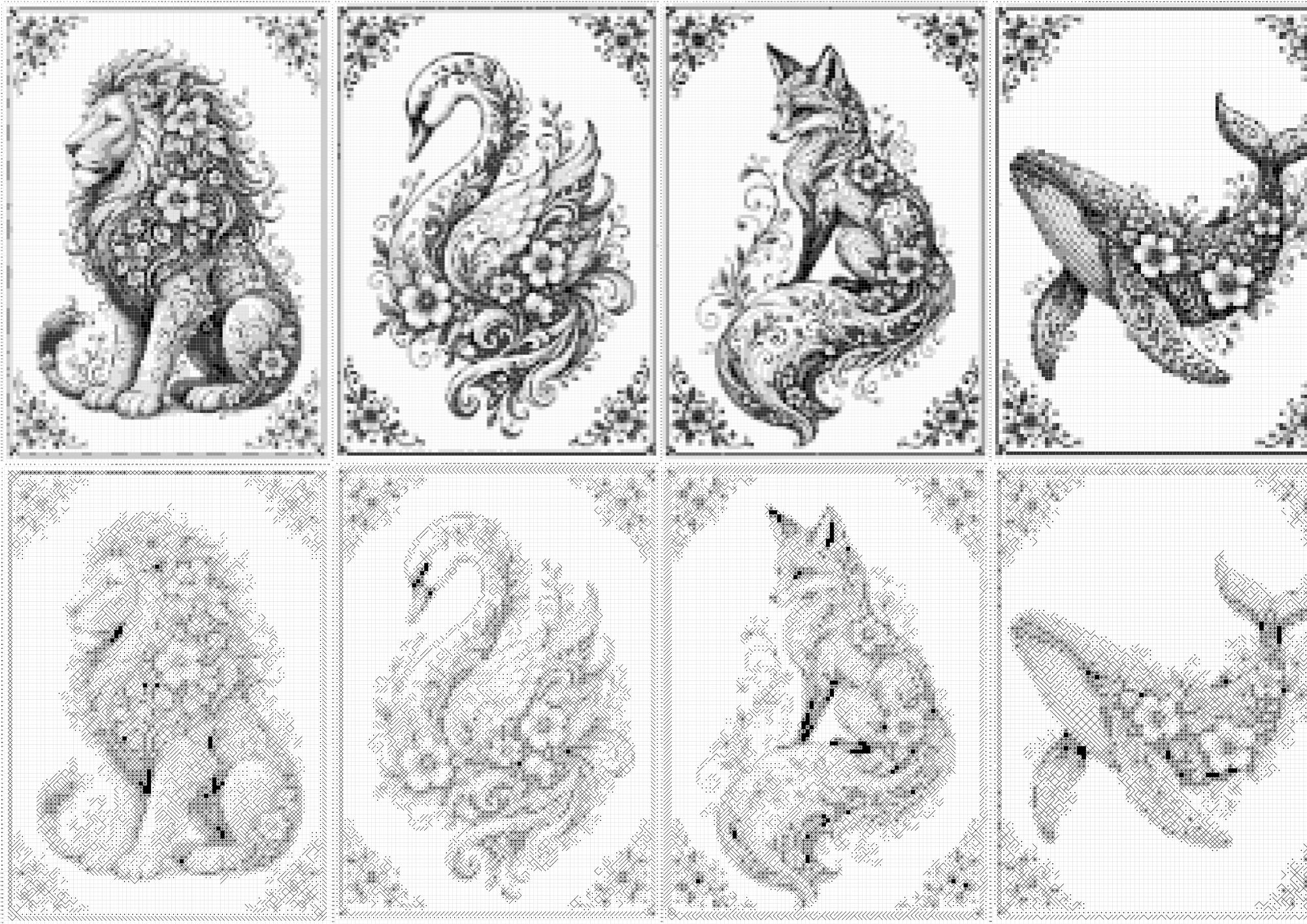
Control how your artwork is built using different grid densities. Switch between square pixels, ASCII characters, and typographic strokes to create different visual results from the same image.

  • Square Pixel & ASCII Modes
  • Typographic Stroke Styles
  • Adjustable Density & Detail
The Grid & Shape Architect
03 | MODULE #03

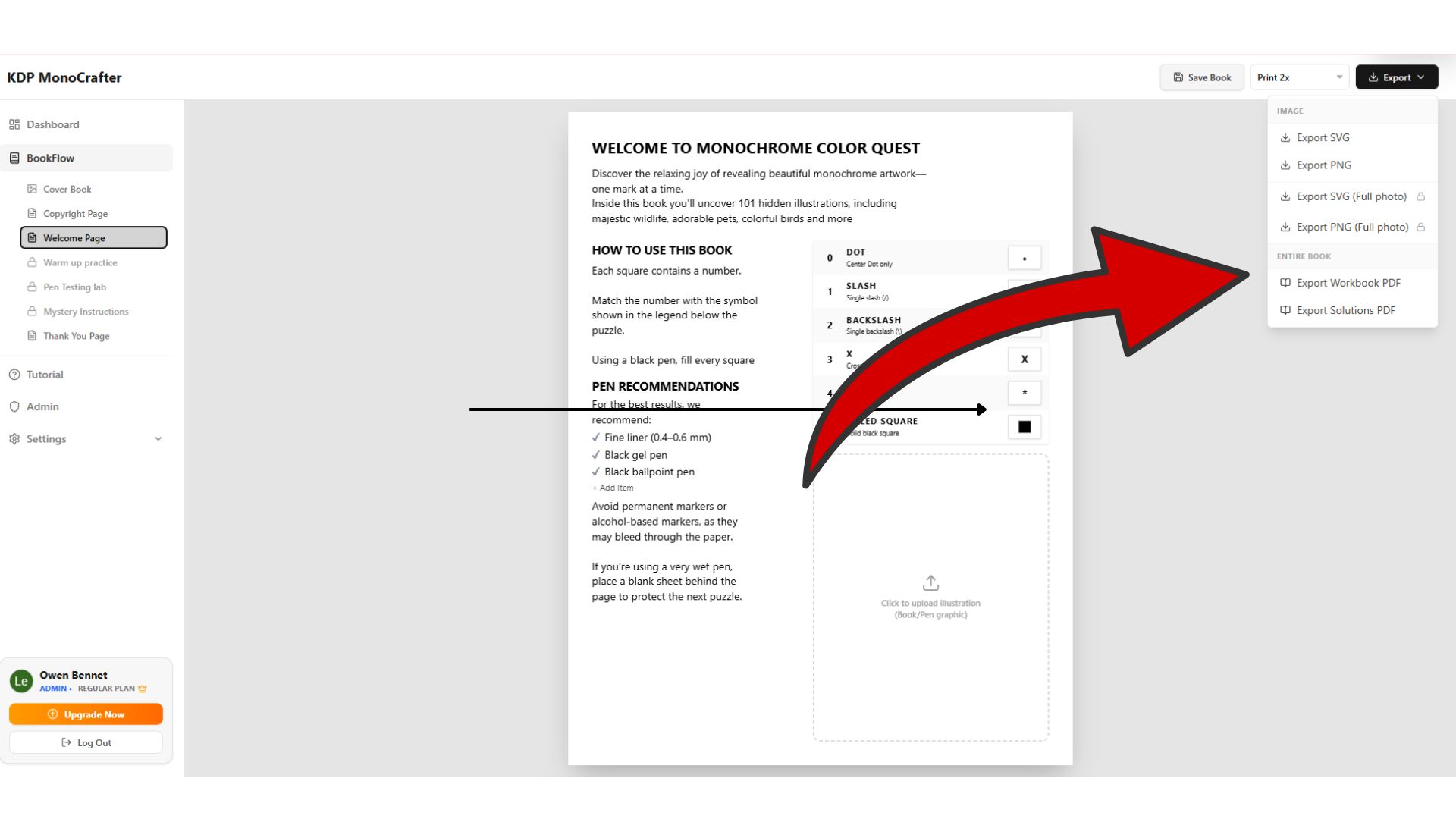
The BookFlow Workspace

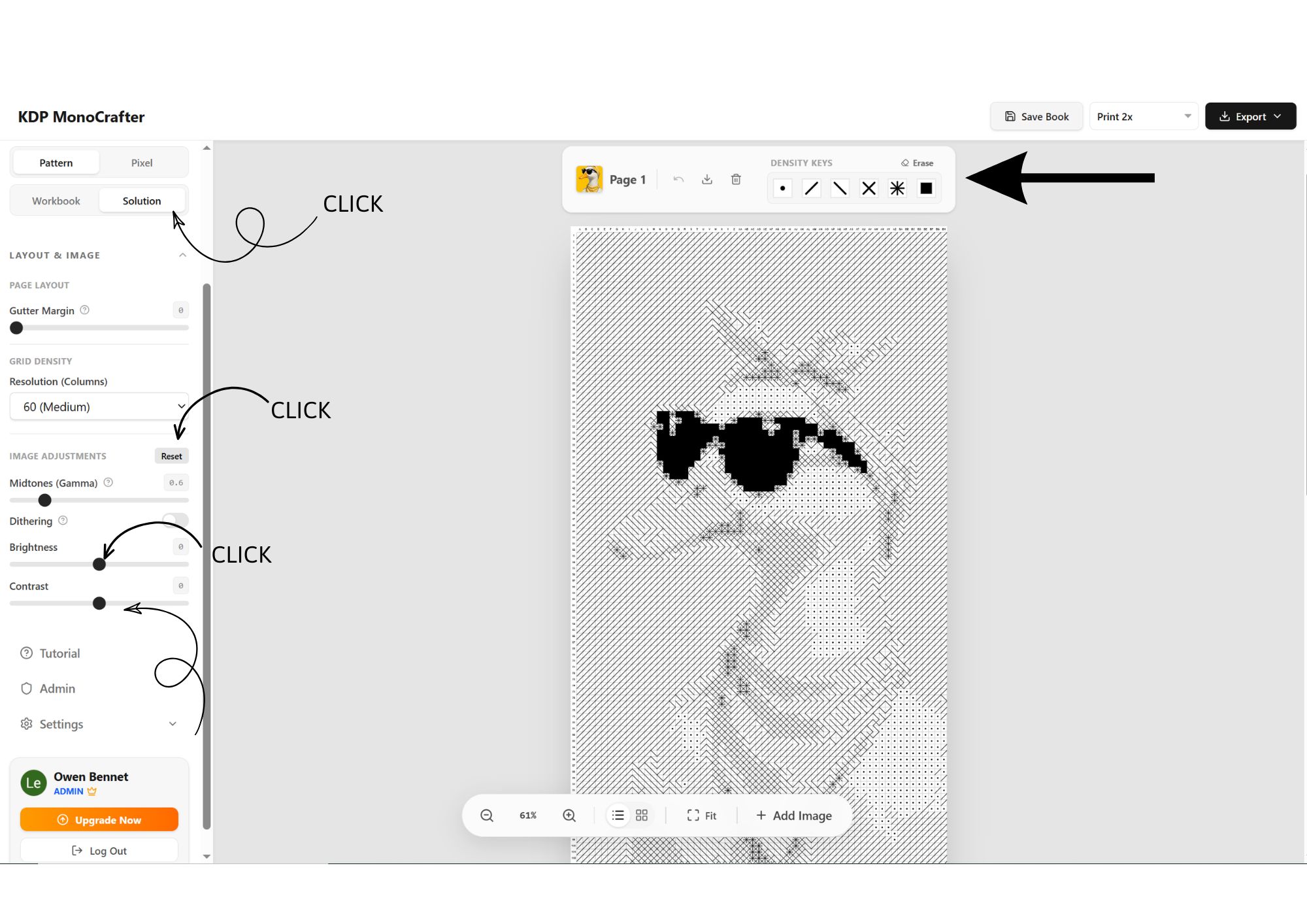
Build and manage up to 20 pages inside one project instead of working with separate files one by one. Switch between Workbook and Solution views, apply settings to individual pages or across your project, and keep everything organized.

  • Multi-Page BookFlow
  • Workbook & Solution Modes
  • Apply To Current Page Or All Pages
The BookFlow Workspace
04 | MODULE #04

The Layout & Formatting Workspace

Prepare your pages using visual layout controls without constantly jumping between different design tools. Adjust your project settings, review your pages, and see how your interior comes together before export.

  • Visual Page Preview
  • Layout & Image Controls
  • Simple Project-Wide Adjustments
The Layout & Formatting Workspace
05 | MODULE #05

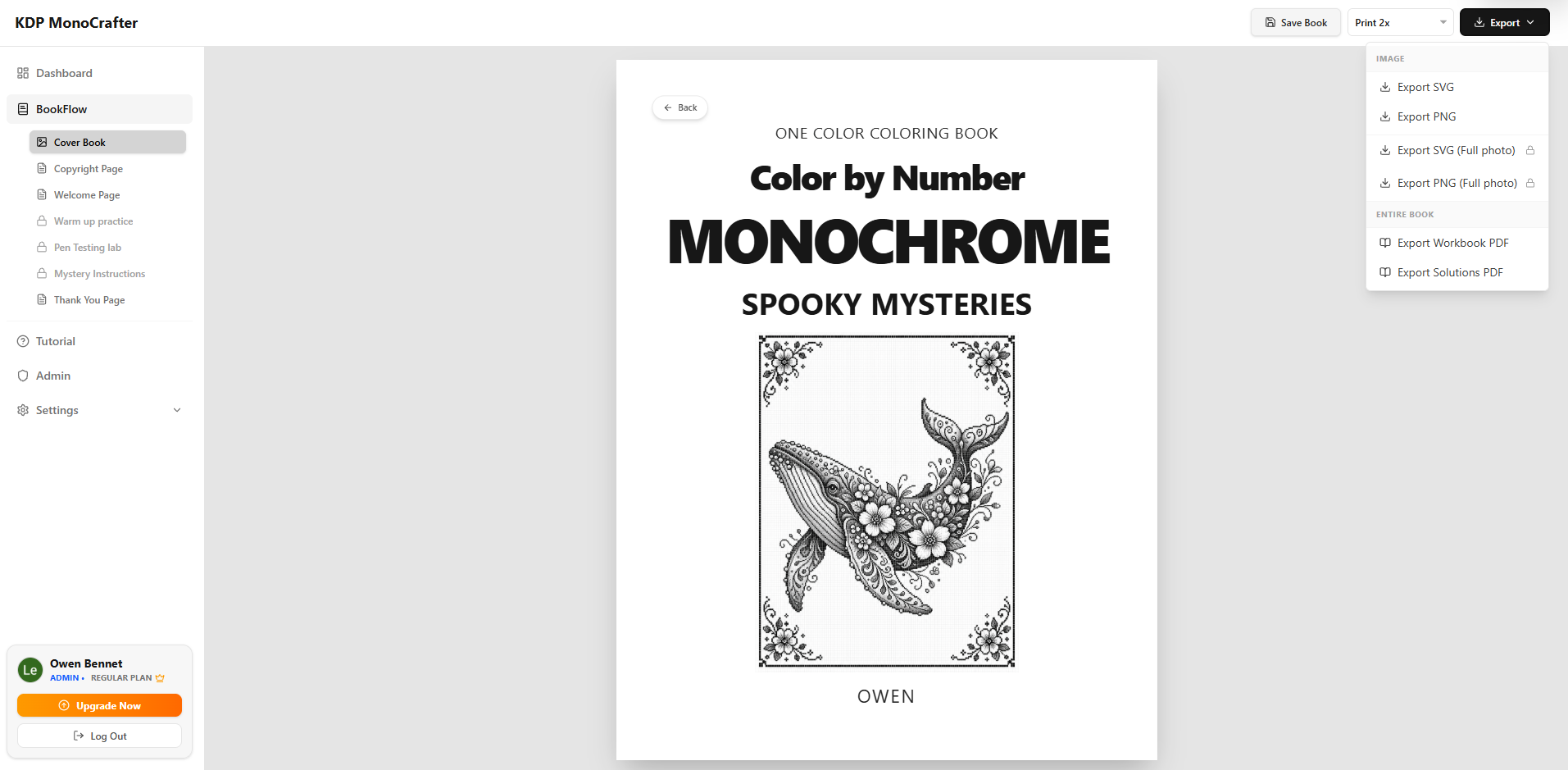
Simple PDF Export

When your project is ready, bring your pages together and export your finished book file directly from MonoCrafter.

  • Simple PDF Export
  • High-Resolution Output
  • Commercial License Included
Simple PDF Export

From Image To Art Book — In One Simple Flow

1. Upload Your Images 2. Choose Pattern Or Pixel Mode 3. Adjust Density & Layout 4. Build & Preview Your Pages 5. Export Your Finished PDF

One Workspace. One BookFlow. Less Manual Work. MonoCrafter gives you a streamlined path from source images to finished monochrome book interiors — without complicated design software or repetitive page-by-page setup.

The MonoCrafter Advantage

From One Image To A Complete KDP Art Book Workflow

Why spend hours building grids manually, adjusting every detail, and jumping between complicated design tools?

KDP MonoCrafter gives you a faster way to transform ordinary images into structured Pattern and Pixel-based artwork — then build, customize, preview, and export your pages from one workspace.

Simply upload your images, choose your display mode, adjust the density and visual settings, and build your book page by page.
Create Pattern & Pixel-Based Artwork from your source images.
Control density, cell shapes, and visual styles without rebuilding designs manually.
Manage multiple pages in BookFlow and apply settings to one page or the entire project.
Preview and export high-resolution PDF files for your KDP publishing workflow.
Turn A Repetitive Design Process Into One Simple Creative Flow.
Source Material

Use Almost Any Image As Your Starting Point

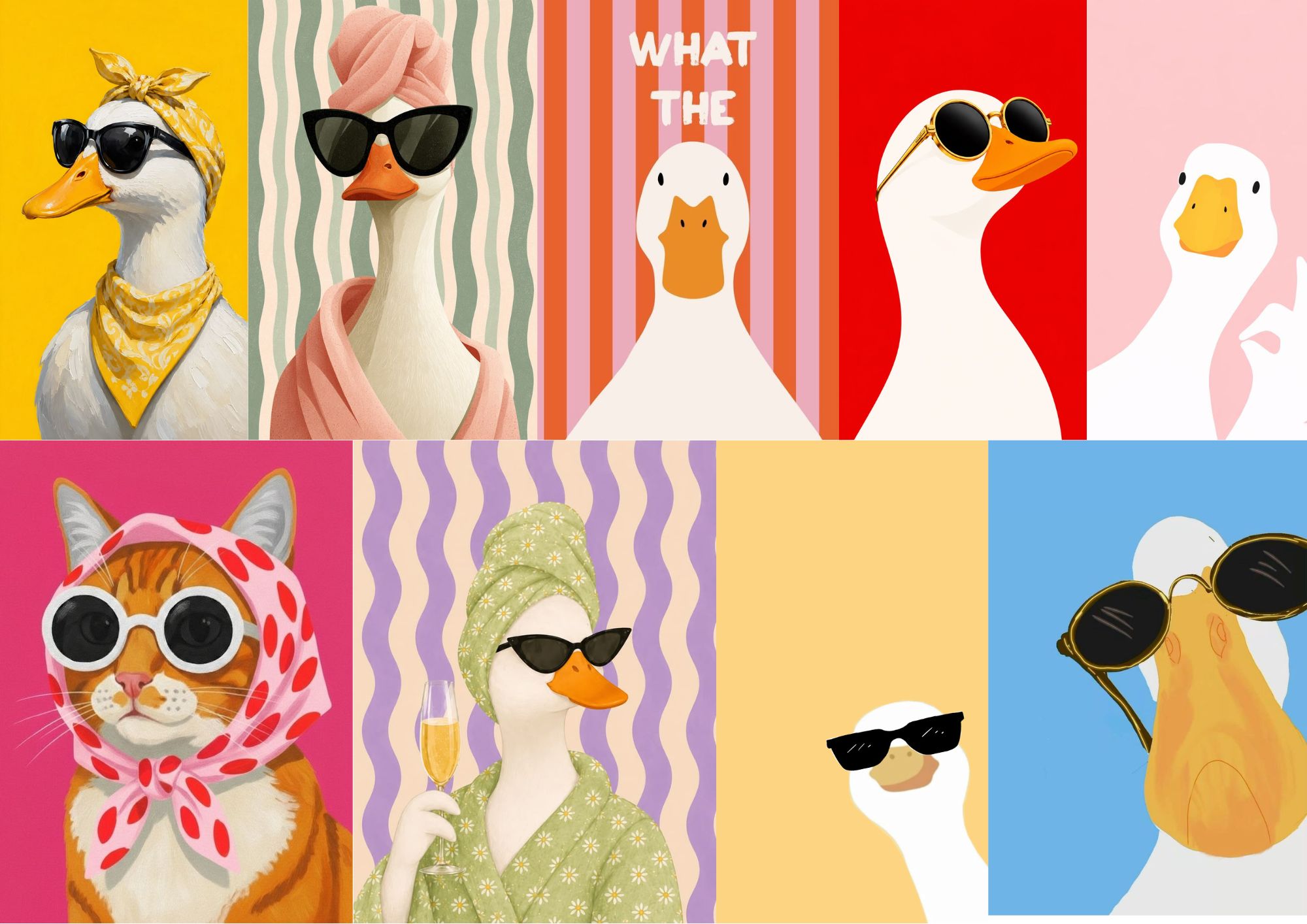
Start with your own photos, illustrations, graphics, AI-generated images, or other visual assets you have the rights to use.

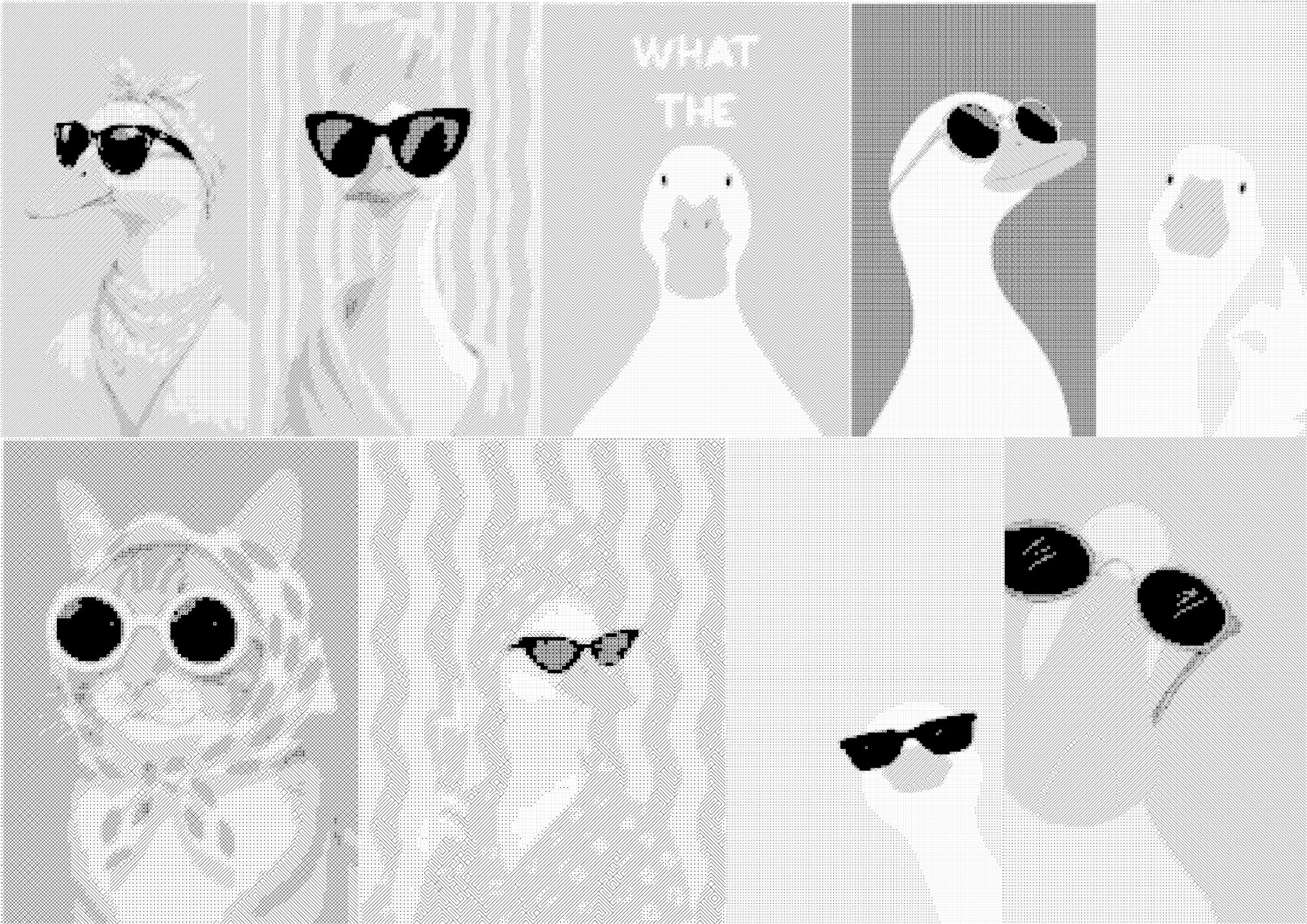
Upload the image into KDP MonoCrafter, then transform it into Pattern or Pixel-based artwork using your preferred density, grid, and style settings.

Source Image
Adjust Settings
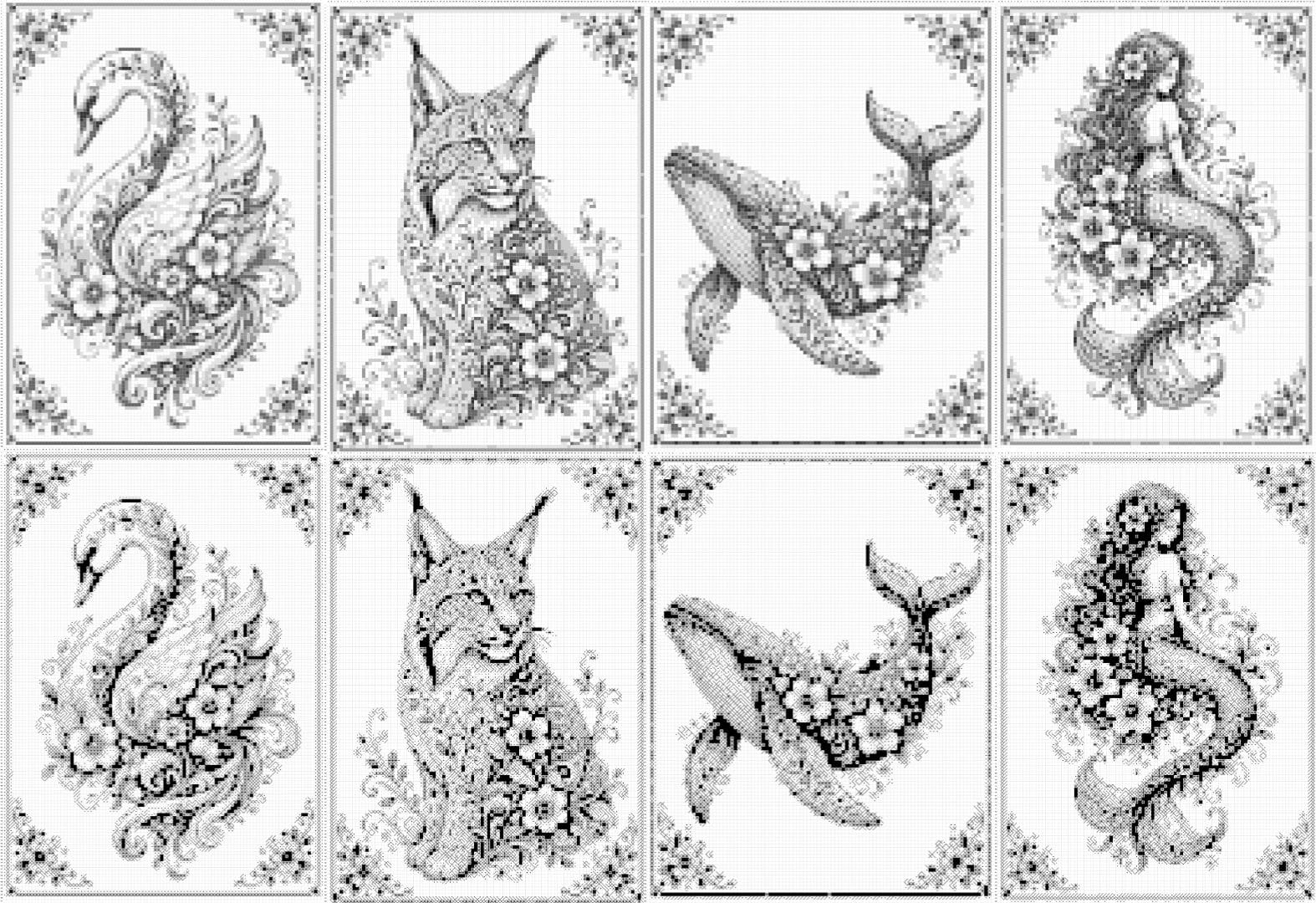
Custom Artwork
One Image In. Multiple Creative Possibilities Out.
Source Image Example
The Manual

Quick Start Guide: KDP MonoCrafter

KDP MonoCrafter is built on one core philosophy: "All-in-one & Incredibly Simple."

You don't need any complex graphic design skills or heavy software. With just a few clicks, you can transform a standard image into a stunning Typographic, Pattern, or Monogram art piece ready to be published on Amazon KDP.

Here is a breakdown of the core features and how easily you can use them:

1

Image Upload

What it does

This is where you begin your project by importing your base image.

How easy it is

Simply click the Upload button or drag and drop your image (JPG/PNG) into the workspace. The software instantly analyzes your image and generates a preview on the canvas.

Step 1
2

Image Adjustments

What it does

Fine-tunes the lights and shadows of your base image so your printed art looks sharp and clear.

How easy it is

Just drag the visual sliders:

  • Brightness & Contrast: Slide left or right to make the core outlines of your image pop.
  • Smoothing & Dithering: Toggle these on or off with a single click to smooth out harsh gradients or add a beautiful halftone "dotted" effect.
Step 2
3

Art Render Styles

What it does

This is the "heart" of the software. It dictates the artistic flavor of your final book page.

How easy it is

Choose from two main modes with a simple click:

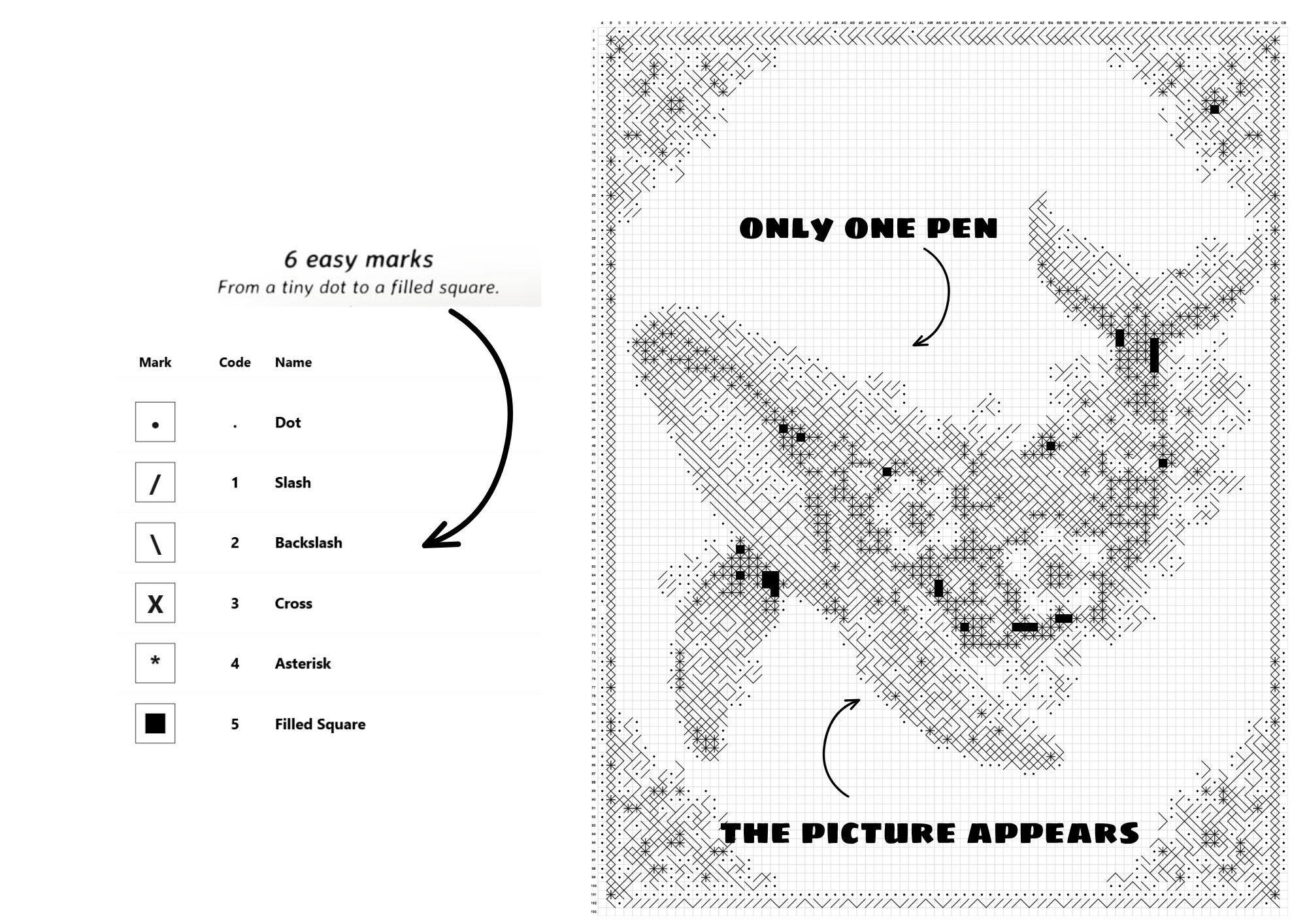
  • Shapes: Turns your image into artistic strokes (/, \, -), dots, or ASCII-style characters.
  • Pixels: Converts your image into geometric grids made of precise square pixels.
Pro Tip: Just drag the Grid Columns slider to change the level of detail. (A higher number means a smaller grid and much sharper details!)
Step 3
4

Project Management

What it does

Safely stores your work-in-progress inside your workspace.

How easy it is

Click Save to keep your current draft (up to 5 saved projects). The next time you open the app, just click the Folder icon to load your past work and pick up exactly where you left off.

Step 4
5

1-Click PDF Export

What it does

Packages everything you've created on the screen into a finalized, ready-to-publish document.

How easy it is

Once you love how your art looks on the live preview, just hit the Export PDF button. The software automatically compiles a high-resolution, KDP-optimized PDF file straight to your computer.

Step 5
The Bottom Line

Working with KDP MonoCrafter boils down to 3 effortless steps:

1. Upload your image → 2. Tweak the sliders → 3. Click Export PDF

No bulky design software, no confusing tech setups, and no API keys required.
Everything is visual, instant, and right at your fingertips!

Limited Time Offer

3 Mega Bonus Packs

When You Act Now

Bonus #1

The Hero's Quest & Story Pack

A complete universe of discovery. Includes 5 essential world-building guides plus a ready-to-publish story collection.

  • Bug Scouts: A 360° World of Discovery
  • 5 Colorful Stories for Babies
Bonus #2

Creator's Smart Toolkit

A powerful set of utilities to polish your content and bring memories to life.

  • AI Content Detector: Ensure 100% human authenticity.
  • Old Photo Restoration: Restore memories instantly.
Bonus #3

TikTok Viral Growth Strategy

Master the fastest growing platform. A strategic guide to building your audience and monetization.

  • Growth Guide: How to gain your first 5,000 followers.
  • Monetization: Unlock Shop & Profits.

The Final Workflow

Get Full Access To
KDP MonoCrafter

The Premium End-To-End Art Book Generator

Your Complete Publishing Arsenal
  • KDP MonoCrafter (Enterprise Core) $97 Value
  • Module 1: Smart Image-to-Art Conversion Engine $47 Value
  • Module 3: Precision Image Adjustments & Tonal Control $47 Value
  • Module 5: 1-Click High-Resolution PDF Export $47 Value
  • Bonus 1: KDP Art Book Niche & Inspiration Guide $67 Value
  • Bonus 3: TikTok Viral "Satisfying Art" Growth Strategy $97 Value
Total Real World Value $737.00
MonoCrafter Product Box
WarriorPlus Special Founders Deal
$37.00 $17
(One-Time Fee. No Subscriptions)
What's Included In Your Account Today:
  • Unlimited Image Conversions Included! (Ready to use on Day 1)
  • ZERO DESIGN EXPERIENCE REQUIRED: We built the complex rendering engine. You just upload, tweak the sliders, and export!
  • (Bonus 1) KDP Art Book Guide: Discover high-demand niches for monogram, pattern, and typography books.
  • (Bonus 2) Image Sourcing Toolkit: Learn exactly how to find and prep the best base images for flawless art generation.
  • (Bonus 3) TikTok Viral Growth: A guide to recording your screen and showing off the "satisfying" art generation process.
  • Commercial Usage: Sell your generated art books on KDP and keep 100% of the profits.
  • Dual-Render Engine: Instantly switch between ASCII/Strokes and Square Pixel art styles with a single click.
  • Live Canvas Preview: See your art update in real-time as you adjust brightness, contrast, and grid density.
  • Custom Grid Controls: Scale your art detail up or down perfectly to fit your specific book size.
  • Export To KDP: Download press-ready, perfectly margined PDF files instantly. No formatting errors.
  • Cloud Project Vault: Secure cloud storage to save up to 5 active projects and load your art anytime, from anywhere.
No Monthly Fees. Instant Cloud Access.
ZERO Technical Setup (Skip the heavy Adobe Illustrator/Photoshop headaches).
GET INSTANT ACCESS NOW - ONLY $17
SSL Secure Checkout

30-Day Money Back Guarantee

Try KDP MonoCrafter completely risk-free for 30 days.
If the platform does not streamline your publishing process and meet your expectations, simply contact our support team for a prompt refund.
Refunds are subject to our standard refund policy. No guarantees are made regarding specific financial results or KDP rankings.

The Choice Is Yours

You Are Standing At The Crossroads

Option 1: Walk Away
  • Continue struggling with complex design software like Photoshop or Illustrator.
  • Waste hours manually formatting grids and placing individual elements.
  • Risk creative burnout and quit before publishing your next KDP project.
Option 2: Dominate Now
  • Grab KDP MonoCrafter & automate your image-to-art workflow.
  • Launch professional pattern and typographic KDP books in minutes.
  • Secure the low one-time founders price today.
YES, I CHOOSE OPTION 2

Meet The Creator Behind MonoCrafter

With decades of experience in high-level marketing and tech development, I've created a platform that guarantees professional publishing results every time.

Owen Bennet
Creator

Owen Bennet

KoJi Academy owenbennet@kojilaunch.com
The Knowledge Base

Frequently Asked Questions

1. I have absolutely zero graphic design skills. Can I still use this?
Absolutely! KDP MonoCrafter was built specifically for beginners. You don't need to know how to use Photoshop, Illustrator, or any complicated design tools. Everything is highly visual—just upload an image, drag a few simple sliders until it looks good to your eye, and click export. Our engine does all the heavy technical lifting behind the scenes.
2. Are there any monthly subscription fees?
No! This is a special "One-Time Payment" founder's deal. When you secure your account on this page today, you pay once and get access to the core software. There are no hidden monthly or annual subscription fees to worry about.
3. Do I need to set up confusing API keys or buy third-party credits?
Not at all! Unlike many modern tools that force you to connect complicated APIs or buy expensive outside credits just to make the software work, KDP MonoCrafter is completely standalone. Everything is built-in. You just log in and start creating immediately.
4. Will the exported PDFs actually pass Amazon KDP's strict formatting checks?
100% Yes. We hard-coded Amazon's exact Trim Sizes, Page Margins, and Gutter calculations directly into the software. You will see the exact "safe zones" right on your canvas while you work. When you click export, the PDF is perfectly sized and press-ready, eliminating those frustrating KDP upload errors.
5. Do I get a Commercial License to sell the art I create?
Yes! When you grab this deal today, the Full Commercial License is included. You own 100% of the rights to the artwork and book pages you generate. You can publish them on Amazon KDP, sell digital downloads on Etsy, or use them commercially in any way you like—and you keep 100% of the profits.
6. Do I need to download or install heavy software on my computer?
No installation is required. KDP MonoCrafter is a 100% cloud-based application. Whether you are using a Mac, a Windows PC, or even a tablet, all you need is a standard web browser and an internet connection to log in and start creating from anywhere.
7. If I need to step away, can I save my work and finish it later?
Yes! Your account includes the "Cloud Project Vault" with space to save up to 5 active projects. Just hit the Save button, and your current work is securely stored. You can delete old projects to make room for new ones, or upgrade to PRO later for unlimited storage.
8. What types of images work best with this software?
The app supports standard JPG and PNG images. For the most stunning typography, pixel, and monogram art, images with clear, high contrast work best. But don't worry if your starting image isn't perfect—our built-in Brightness and Contrast sliders allow you to fix the lighting and bring out the details right inside the app before rendering.
9. Can I generate full multi-page books with this?
This core Front-End (FE) version is optimized for generating ultra-high-quality, single-page interior artwork and exporting them flawlessly. However, immediately after your purchase today, you will have the optional opportunity to upgrade to our PRO version, which unlocks Bulk Multi-Page Book Generation, custom character sets, and advanced cover features!
10. What happens if I need help or get stuck?
We've got you covered. Inside your member dashboard, you will find step-by-step video tutorials and quick-start guides showing you exactly how to maximize every feature. Plus, if you ever run into a technical issue, our dedicated customer support team is just a quick email away.

Market Research Notice: Screenshots and marketplace data are shown for informational and research purposes only. Rankings, prices, reviews, and market conditions may change. KDP MonoCrafter is not affiliated with or endorsed by Amazon or the third-party research tools shown.

  • This site is not endorsed by Google, Facebook, or YouTube. All trademarks, logos, and brand names are the property of their respective owners.

    Earnings Disclaimer: This website and the products offered on it are intended to provide tools, workflows, and educational information only. We do not make any guarantees regarding income, profits, sales, or business results. Any examples, illustrations, or use cases presented are for informational purposes only and should not be interpreted as promises or guarantees of future performance. Individual results will vary based on many factors, including experience, effort, market conditions, and how the product is used.

    General Disclaimer: The information provided on this website is for educational and informational purposes only. You are solely responsible for how you use any ideas, tools, or content provided. We are not responsible for your decisions, actions, or results arising from the use of this website or its products. Before making business, legal, financial, or tax decisions, you should conduct your own due diligence and consult a qualified professional where appropriate.

    Refund Policy: Our refund policy is provided to reduce purchase risk and to let you evaluate the product. It is not a promise of results, income, or any specific outcome. If the product does not function as described, and your purchase qualifies under our refund policy, we will honor your refund request in accordance with our stated terms.

    Service Access Notice: This product is delivered as a software-based digital service. Access is linked to your purchase. If a refund is issued, access to the product may be removed and related account access may be terminated.

    Representation Notice: We have made reasonable efforts to accurately describe this product and its intended use. Any testimonials, demonstrations, or examples shown are illustrative only and are not intended to represent typical results. There is no assurance that any user will achieve the same or similar outcomes.